Stemz: AI Tool for Musicians
- 4.4
- Rating
- 1.00M
- Installs
- Free
- Price

 Analysis by App-foxy
I approach music apps with a little caution, especially when they use artificial intelligence. A tool can sound impressive in a quick demonstration yet become frustrating when I try to use its results in a real project. Stemz: AI Tool for Musicians is interesting because it focuses on one practical task: separating vocals and instruments from a mixed song so I can work with the individual parts.
That makes it more useful than a simple music player, but it also means expectations matter. This is not a complete recording studio, a replacement for a professional digital audio workstation, or a magic button that reconstructs every track perfectly. In my experience, its value depends heavily on the source recording, the kind of separation I need, and what I plan to do with the extracted parts afterward.
Stemz is a free Music & Audio app from MWM - AI Music and Creative Apps. It is available for users rated Everyone, runs on Android starting with version 6.0, and has reached over a million installs. Its average rating is 4.4 from around twelve thousand ratings, with hundreds of written reviews, so it has clearly attracted a substantial audience rather than remaining a niche experiment.
You May Also Like

 Blood Strike: 2.5 Anniversary
Blood Strike’s Loadouts Turn Every Drop Into a Tactical Gamble
A close look at Blood Strike’s custom loadouts: how fast access to signature weapons reshapes its battle royale rhythm, rewards preparation, and narrows the gap between fights.

 Pandora - Music & Podcasts
Pandora’s Music Is Easy to Start, but Harder to Recover
Pandora’s strength is its low-effort path from a seed to a station. Its weak spot is how much confidence it asks you to place in connection, setup, and quiet recovery.

 8 Ball Pool
 Is Built on Rivalries, Rematches, and Routine
A close look at the rivalries, rematches, shared routines, and unanswered safety questions that turn a quick pool match into a persistent mobile community.

 Samsung Music
’s Quiet Strength Is Playing What You Already Own
Its reach comes less from spectacle than from dependable access to a personal library. That simplicity is both the app’s strongest retention engine and its ceiling.

 AccuWeather: Weather Radar
AccuWeather Review: A Quick, Clear Forecast for Everyday Decisions
For everyday plans, the best forecast is the one you can understand quickly. AccuWeather makes rain timing, radar, and local conditions easy to act on, with a few trade-offs.

 Hill Climb Racing
Why Hill Climb Racing Still Turns Crashes Into One More Run
A tiny car, a bumpy hill and one more upgrade: Hill Climb Racing keeps resurfacing because its simple chaos makes every near-miss feel personal.
More From Our News Desk



What Stemz actually does in everyday music work
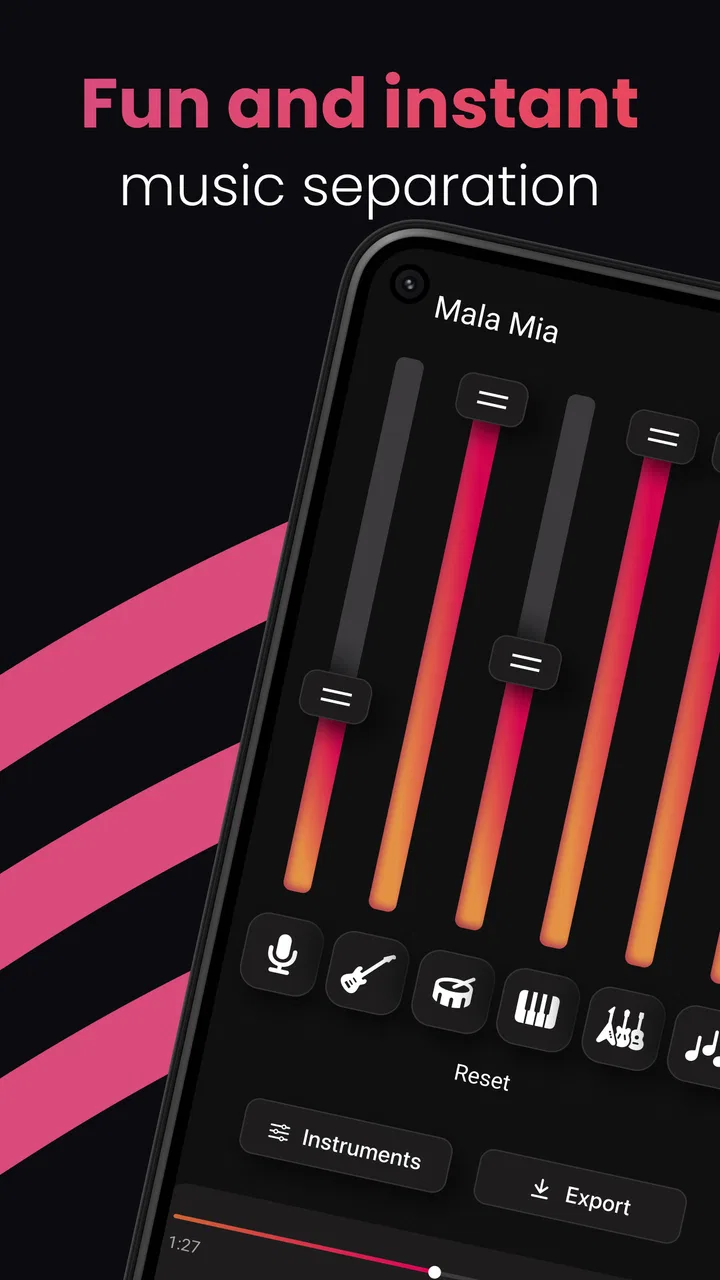
The central workflow is straightforward: I choose a song, let the app analyze it, and then listen to or work with separated elements such as the vocal and instrumental portions. The appeal is immediate. If I want to practice singing, I can reduce the lead vocal. If I am learning an instrument, I can make the relevant musical layer easier to hear. If I am preparing a remix idea, I can begin with a vocal or instrumental stem instead of trying to recreate the entire arrangement from scratch.
The important distinction is between separation and isolation. Artificial intelligence estimates which sounds belong together based on the complete recording. It does not reach back into the original studio session and retrieve the untouched tracks. That means the result can include faint remnants of other elements, watery textures, softened transients, or small artifacts around cymbals and consonants. I would treat every export as a useful working material, not automatically as a release-ready master.
This limitation is easier to accept when the goal is practice or experimentation. For example, I might be rehearsing a cover in the evening and need the singer’s phrasing without the original vocal dominating the mix. A separated instrumental can give me enough space to sing along. If I hear a little bleed from the vocal, it may not matter during practice. The same imperfection would matter much more if I were building a polished commercial remix.
Useful workflows beyond simply removing a singer
One of the more practical uses is arrangement study. I can listen to the vocal on its own to examine breath placement, harmony choices, and phrasing, then switch to the instrumental side to follow how the production supports those moments. This is more revealing than repeatedly listening to the full mix because the separation encourages me to focus on one musical decision at a time.
Another useful workflow is transcription. When a guitar, bass, or keyboard part is buried under drums and vocals, reducing competing material can make the rhythm and notes easier to identify. I would still check the original recording afterward, because an algorithmic stem may blur attacks or merge nearby frequencies. Used carefully, though, the app can turn an overwhelming listening task into a manageable one.
There is also a good rehearsal application for bands and solo performers. I can prepare a backing track with less prominent vocals, practice timing against the original arrangement, and identify sections where my entrance is late or early. This is especially helpful when I do not have access to a professionally prepared instrumental version. The trade-off is that the backing track may not feel as clean or balanced as an official one.
For producers, the most interesting use is idea generation. A vocal stem can become the starting point for a new tempo, texture, or chord approach. I can place it in another music app, experiment with effects, and sketch a direction quickly. Stemz is therefore best understood as a front-end extraction tool: it helps me obtain material for further work, while the serious editing, mixing, and arrangement happen elsewhere.
Where the quality is convincing and where it breaks down
Clean, modern recordings with a clearly centered vocal usually give the app the easiest job. The more distinct the vocal is from the surrounding arrangement, the more believable the result tends to feel. Sparse sections can also be helpful because there are fewer overlapping sounds for the system to separate.
Dense mixes are more difficult. Distorted guitars, wide reverbs, backing vocals, loud cymbals, and heavily compressed low end can all create confusion. A vocal may leave a faint musical shadow in the instrumental result, while the vocal result may contain fragments of drums or sustained instruments. These problems are not unique to Stemz, but they determine whether the output is suitable for your purpose.
A useful tip is to judge the result in the context where you will use it. Headphones can reveal artifacts that are easy to miss on a phone speaker, but that does not mean every audible imperfection will ruin a rehearsal track. Conversely, a stem that sounds acceptable alone may become distracting once you add your own instruments. I would test a short, representative section before committing to a full project.
Another trade-off is convenience versus control. Stemz is appealing because it removes technical setup from the first stage. A traditional audio editor may offer more manual control, but it also expects me to understand routing, spectral editing, phase behavior, and file management. If I only need a quick musical reference, Stemz is less intimidating. If I need surgical correction, a dedicated desktop tool is usually the better choice.
Trust, permissions, and moments that deserve attention
Because the app analyzes music, I would pay close attention to what I select and how I handle the resulting files. The safest starting point is music I own, have permission to use, or am using for private study. Extracting parts from a commercially released song may be technically easy, but that does not automatically give me permission to publish, distribute, or monetize the separated material.
I also prefer to inspect the app’s visible prompts and system permission requests during setup rather than approving everything automatically. The app’s purpose does not require me to surrender judgment. If it asks for access to music or files, I would grant only the access needed for the task and review the wording carefully. Trust here comes from deliberate choices, not from assuming that an AI label makes the process harmless.
Data-sensitive moments can occur when I choose a file, start an analysis, save a result, or move a stem into another application. I would avoid using confidential demos, unreleased client recordings, or private voice material until I have read the current privacy information and understand how those files are handled. The same caution applies to cloud-connected workflows: convenience may involve processing outside the device, and that is precisely the point at which I want clear explanations before uploading sensitive audio.
I would also look at account controls and purchase screens with care. Stemz is free to install, but it includes in-app purchases ranging from $4.99 to $89.99 per item. That wide range makes it especially important to read what each option unlocks, whether a purchase is one-time or recurring, and which screen confirms the charge. I would not tap through a trial or upgrade prompt without checking the final terms shown by the store.
The app’s current version is 1.20.00, and I would keep it updated through the official store rather than relying on modified installation files. That is a basic but worthwhile habit for any app that handles personal media. I would also periodically review whether Stemz still has access to files or media that I no longer want it to use, particularly after changing my music library or moving projects between devices.
How much control does the user really have?
Stemz gives me agency mainly by shortening the path from a finished song to workable musical material. I decide which recording to analyze and what I do with the result. That is valuable, but it is different from having detailed control over the separation model. Users looking for extensive adjustment of frequency ranges, transient behavior, bleed reduction, or manual repair may find the app’s focused approach limiting.
My preferred workflow is to keep the original file untouched, create a separate working copy when possible, and label extracted material clearly. I would note the song, the date of the analysis, and the purpose of the stem. This sounds minor, but it prevents confusion once several versions exist. It also makes it easier to discard a weak result and return to the source instead of repeatedly editing an already degraded file.
I would not use an extracted stem as the only reference for a mix decision. I listen against the original, check the timing, and compare important sections at more than one volume. If the goal is vocal practice, I focus on whether the phrasing is clear. If the goal is production, I listen for phase-like smearing, missing attacks, and unnatural tails before building new parts around it.
For younger users, the Everyone content rating makes the app broadly approachable, but that does not remove the need for sensible supervision around purchases and copyrighted music. The most useful control is still an informed workflow: choose appropriate files, understand where they go, and avoid treating an extracted part as automatically free to share.
Stemz compared with ordinary alternatives
The usual alternative is to search for an official karaoke, instrumental, or acapella version. When one exists and is properly produced, it will often sound cleaner than an AI-separated result because it was created from the original session or an approved mix. The downside is that official versions are not available for every song, and they may use a different arrangement or omit details I need.
A full digital audio workstation offers much deeper editing once I have the audio. I can cut sections, automate volume, add effects, tune timing, and combine the material with new recordings. That flexibility is essential for serious production, but it does not necessarily solve the initial problem of separating a mixed song. Stemz is useful earlier in the process, while a workstation is stronger afterward.
Desktop source-separation software can be preferable when I need batch processing, repeatable settings, detailed comparison, or integration with a larger studio workflow. The cost is usually more setup and a steeper learning curve. I would choose Stemz for speed and accessibility, and a desktop solution when the quality of one important stem justifies spending more time on the process.
Manual filtering with an equalizer is another common approach, but it is not true separation. Removing vocal-heavy frequencies can also remove guitars, keys, or other musical content occupying the same range. Stemz has a real advantage when I need a quick approximation of distinct parts rather than a crude frequency cut. It still cannot overcome every overlap in a dense mix.
Who should use it, and who should skip it?
I think Stemz is a strong fit for singers practicing covers, musicians transcribing parts, teachers preparing listening exercises, and curious producers who want to test remix ideas quickly. It is also suitable for someone who does not yet understand advanced audio software but wants to explore the relationship between vocals and accompaniment.
I would be more cautious if I were preparing a commercial release, restoring archival audio, or delivering stems to a client. In those cases, artifacts and uncertain source quality can create extra work, and a cleaner source or professional separation method is worth considering. The app is also not the right choice if I want a complete recording environment with multitrack editing, detailed mixing, and mastering tools in one place.
Storage and patience matter too. Audio analysis and saved results can become inconvenient when I work with many songs, especially if I keep several versions. I would process only what I need, remove failed experiments, and avoid filling my device with duplicate exports. That simple habit keeps the app focused on useful musical tasks rather than turning it into an unorganized archive.
My cautious verdict
After using it as a practical separation tool, I see Stemz as a convenient bridge between casual listening and hands-on music making. Its strongest quality is not that it makes perfect stems; it is that it lets me investigate a finished song quickly and turn that investigation into practice, transcription, or a production sketch.
The free entry point makes it easy to try, while the in-app purchase range means I would examine each offer carefully before paying. I would also keep copyright, file handling, permissions, and privacy choices in mind whenever I work with personal or unreleased recordings. Those checks do not make the app difficult, but they are part of using any AI audio tool responsibly.
I recommend Stemz when speed and experimentation matter more than absolute separation quality. Try a representative song first, listen for bleed, and decide whether the result meets your actual goal. If you need a rehearsal aid or a fast creative starting point, it can be genuinely useful. If you need pristine, client-ready stems or complete production control, I would choose an official instrumental, a professional source-separation workflow, or a full audio workstation instead.
FAQs for Stemz: AI Tool for Musicians
01What is Stemz: AI Tool for Musicians, and what can it do?
Stemz: AI Tool for Musicians is designed to separate a song into individual audio elements, commonly called stems. Depending on the track and processing quality, it may isolate vocals, drums, bass, piano, guitar, and other instruments. This can be useful for practice, remixing, karaoke, transcription, sampling, or studying how a production is arranged. Results are not always perfect, especially with complex mixes.
02Can Stemz remove vocals or create an instrumental version of a song?
Yes, one of the main uses of Stemz is creating an instrumental track by separating or reducing the vocal stem. You can also isolate vocals for singing practice, analysis, or remix work. However, some vocal effects, backing vocals, reverb, and overlapping instruments may remain in the output. The final result depends heavily on the original recording, audio quality, and how clearly the parts are mixed.
03What audio files and export options does Stemz support?
Before downloading, users should check the current in-app file compatibility and export settings because these can change between updates or vary by device. Stemz generally works with common music files selected from the device or supported storage locations, then processes them into separate stems. Export formats, saved-file quality, sharing options, and access to individual tracks may depend on the version and subscription plan.
04Is Stemz: AI Tool for Musicians free to use?
Stemz may offer free access to some features, while advanced processing, longer songs, higher-quality exports, or unlimited use can require in-app purchases or a subscription. Review the pricing screen carefully before starting a trial, particularly the renewal terms and cancellation procedure. Availability of features and limits may differ between Android and iOS, so confirm the details shown in your own app store listing.
05Is Stemz suitable for professional music production?
Stemz can be a helpful creative and learning tool, but it should not automatically be treated as a replacement for professionally recorded multitrack files. AI separation can introduce artifacts such as metallic sounds, bleeding instruments, phase issues, or missing details. It is well suited to practice, demos, quick remixes, and experimentation. For commercial releases, carefully inspect the stems and confirm that you have permission to use the source recording.
Pros
- Generates useful starting points for melodies
- lyrics
- and song ideas.
- Can help overcome creative blocks during early songwriting sessions.
- Provides quick inspiration without requiring advanced music theory skills.
- Useful for experimenting with different musical directions and arrangements.
- Convenient for mobile brainstorming whenever inspiration strikes.
Cons
- AI-generated ideas may sound generic or require significant editing.
- Results can vary depending on how clearly prompts are written.
- Some features may require a subscription or in-app purchases.
- Generated material may not match your intended genre or artistic identity.
- Musicians should review licensing and ownership terms before commercial use.

Stemz: AI Tool for Musicians
Gallery